

PortTakPi v2 -- Building a Portable TAK Server with AIS, ADS-B, and Real-Time Situational Awareness
/A field-deployable Raspberry Pi 4 TAK server with dual SDR receivers, live maritime and aviation tracking, and Node-RED CoT pipelines feeding OpenTAK Server.
Background
This is version two of my portable TAK (Team Awareness Kit) server -- a self-contained situational awareness node that I can deploy in the field, at an incident, or at a remote location without any dependency on existing infrastructure. The goal is a box that boots up, connects its antennas, and starts pushing live AIS vessel tracks and ADS-B aircraft positions into TAK clients on the local network, all without touching a keyboard after initial setup.
Version one proved the concept. Version two tightens the architecture, adds a proper combined web UI for monitoring, and locks in the autostart and resilience behaviour that you actually need when you are relying on it operationally.
Hardware
The build is intentionally compact and rugged:
Raspberry Pi 4 (4GB) -- the compute platform. Plenty of headroom for running OpenTAK Server, two SDR decoders, Node-RED, and gpsd simultaneously without breaking a sweat. The RPi4 is a known quantity in this kind of deployment -- well supported, widely available, and the USB 3.0 ports handle the SDR dongles without USB bandwidth issues.
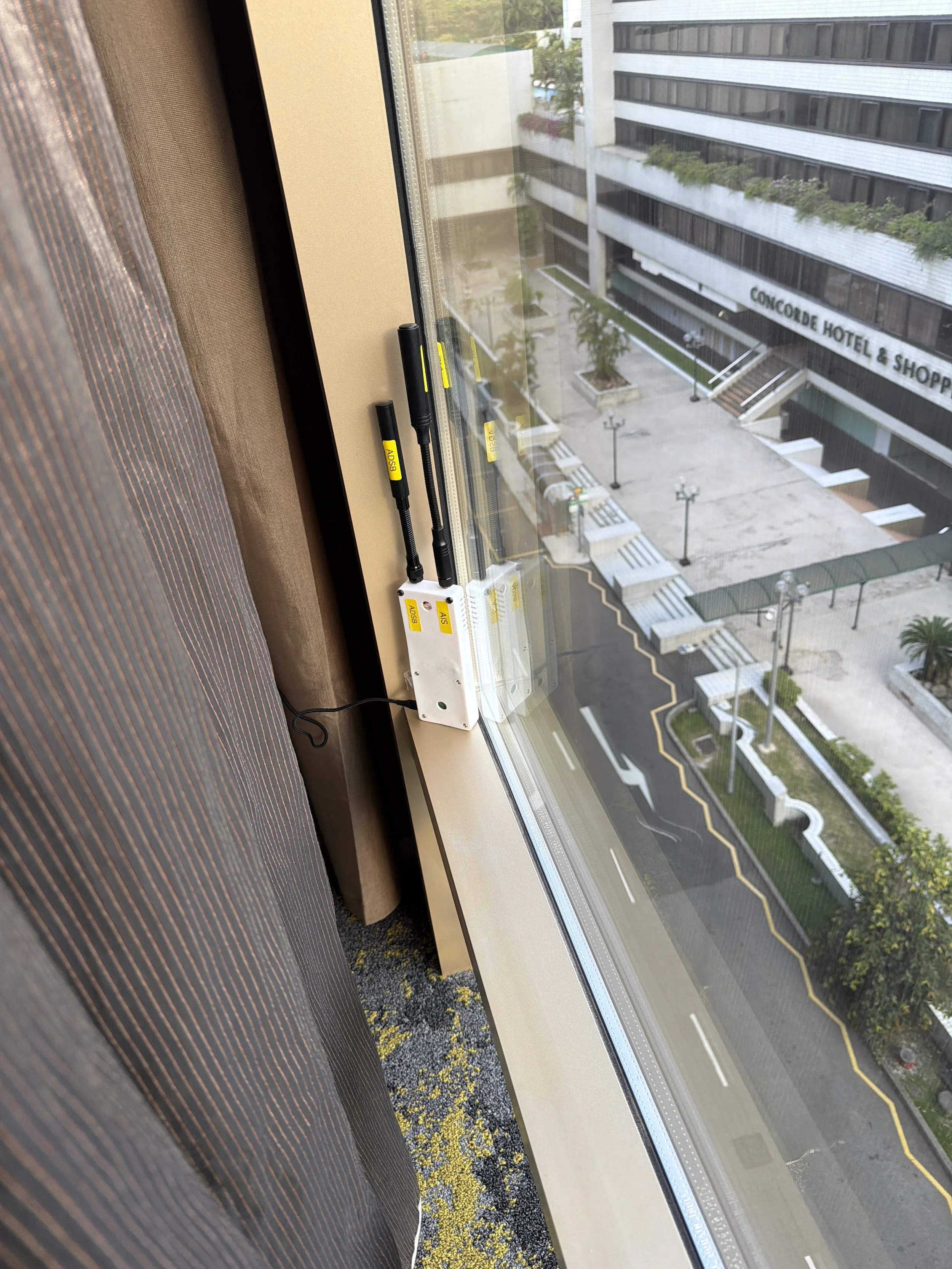
2x NooElec NESDR Nano 3 -- these are the smallest RTL-SDR dongles available and they are ideal for a portable build. One is dedicated to ADS-B on 1090 MHz, the other handles AIS on 161.975/162.025 MHz. Each dongle was pre-programmed with a unique serial number --
000001090for the ADS-B dongle and000000160for the AIS dongle -- so the software can identify them deterministically regardless of which USB port they are plugged into.uBlox USB GPS -- a stripped-down uBlox GPS module, heat-shrink covered to protect the PCB, connected via USB. This feeds gpsd and provides position stamping for AIS-catcher's web UI, Node-RED flows, and any TAK location services that need a receiver position.
The whole lot runs off a USB-C power source. In the field that is typically a battery bank or vehicle power via a USB-C PD adapter.
Software Stack
The software stack sits on a Raspberry Pi OS Lite base. No desktop environment -- everything is headless and managed via SSH over WireGuard when remote, or directly on the LAN when deployed locally.
The key components are:
dump1090-fa -- ADS-B decoder (FlightAware fork)
AIS-catcher -- AIS decoder with integrated web viewer
OpenTAK Server -- TAK server providing the CoT distribution layer
Node-RED -- data pipeline and CoT transformation engine
gpsd -- GPS daemon providing position data to the stack
All four services are managed by systemd and configured to autostart on boot in the correct order.
ADS-B with dump1090-fa
dump1090-fa is the FlightAware customised fork of the original dump1090 ADS-B decoder. It handles Mode S and ADS-B message decoding from the 1090 MHz dongle and writes a live aircraft.json file every second to /run/dump1090-fa/.
Configuration is via /etc/default/dump1090-fa. The key setting is specifying the dongle by serial number so it always grabs the right device:
Plaintext
RECEIVER_SERIAL=00001090
dump1090-fa also serves its Beast format output on TCP port 30005, which other tools can connect to. The adaptive gain control is enabled, which automatically adjusts the receiver gain to optimise the signal-to-noise ratio without manual tuning -- useful when you do not know what the RF environment will be like at a deployment location.
One gotcha with fresh Raspberry Pi OS installs: the dvb_usb_rtl28xxu kernel module will grab RTL-SDR dongles before userspace tools can access them. This needs to be blacklisted:
Bash
# /etc/modprobe.d/blacklist-rtl.conf
blacklist dvb_usb_rtl28xxu
blacklist rtl2832
blacklist rtl2830
Without this, rtl_test and all the SDR decoders will fail to open the device.
AIS with AIS-catcher
AIS-catcher (v0.66 at time of writing) is the AIS decoder handling the second dongle. It is an exceptionally capable piece of software -- fast, configurable, and actively maintained.
Configuration is split across two files:
/etc/AIS-catcher/config.json-- main JSON configuration/etc/AIS-catcher/config.cmd-- additional command line arguments appended at startup
The JSON config specifies the input device by serial number, the web server port (8100), and the TCP output listeners. The key design decision for this build was making AIS-catcher the TCP server on ports 10110 (NMEA) and 10111 (JSON_FULL), with Node-RED connecting to it as a client. This is the opposite of what you might first reach for, but it is the right architecture -- it means Node-RED can restart without requiring AIS-catcher to restart, and the connection re-establishes automatically.
JSON
"tcp_listener": [
    {"port": 10110, "active": true, "msgformat": "NMEA"},
    {"port": 10111, "active": true, "msgformat": "JSON_FULL"}
]
The JSON_FULL format on 10111 is the one the Node-RED CoT pipeline consumes -- it includes MMSI, position, speed, course, heading, and vessel name in a structured format that is straightforward to transform.
ADS-B Overlay in AIS-catcher
One of the neater features in recent AIS-catcher versions is the ability to pull an ADS-B Beast feed and overlay the aircraft on its own web UI map alongside vessels. Since dump1090-fa is already serving Beast output on port 30005, this is a single line in config.cmd:
Plaintext
-t beast 127.0.0.1 30005
The result is a single web UI at port 8100 showing both vessels and aircraft on the same map -- no need to run a separate aircraft UI. This is particularly useful on a portable deployment where you want to monitor everything from one browser tab.
Node-RED Data Pipelines
Node-RED is the integration layer. It ingests data from both decoders, transforms it into Cursor-on-Target (CoT) XML, and distributes it to TAK clients via UDP multicast.
ADS-B Pipeline
dump1090-fa writes aircraft.json to a tmpfs location at /run/dump1090-fa/aircraft.json every second. Rather than running an HTTP server just to serve this file (which would conflict with OpenTAK Server on port 8080), Node-RED reads the file directly using a file-in node on a 5-second timer.
The flow is: Inject (5s) → File Read → JSON Parse → Extract aircraft array → Split (1 per aircraft) → CoT transform function → TAK node → UDP multicast 239.2.3.1:6969
The CoT transform function is the core logic. It handles:
ICAO hex to UID mapping (
ICAO-7C6D78)Category-based CoT type selection (fixed wing, helicopter, glider, unmanned)
Military detection via hex prefix, callsign pattern, and a
knownCraftlookup tableAltitude preference (geometric altitude preferred over barometric)
Speed and heading extraction for ATAK track vectors
Custom icon assignment from the
knownCraftdatabase
The knownCraft database is a Google Sheet CSV that Node-RED fetches on deploy and refreshes hourly. It maps ICAO hex codes to callsigns, CoT types, icons, and affiliation metadata. This allows specific aircraft -- military, government, or known local traffic -- to be rendered with appropriate symbology in TAK.
AIS Pipeline
The AIS pipeline connects to AIS-catcher's TCP listener on port 10111 as a client. AIS-catcher pushes JSON_FULL messages as they are decoded, so this is event-driven rather than polled.
Because AIS-catcher's JSON_FULL format is a flat object per vessel update, a normalisation function reshapes it into the nested aisstream.io envelope format that the CoT transformer expects -- allowing the same transformer to work across both the home server and the portable Pi.
The flow is: TCP in (client, 127.0.0.1:10111) → Normalise to aisstream shape → AIS CoT transformer → UDP multicast 239.2.3.1:6969
The AIS CoT transformer applies strict MMSI filtering -- it only emits CoT for vessels that exist in an mmsiIndex lookup table, also loaded from a Google Sheet.
Output
Both pipelines output to the same UDP multicast group: 239.2.3.1:6969. Any TAK client on the local network with multicast enabled will receive all tracks from both pipelines without any per-client configuration. OpenTAK Server on the same Pi can also be used for TCP-connected clients that do not support multicast.
OpenTAK Server
OpenTAK Server (OTS) provides the TAK server layer -- certificate management, client connections, and CoT routing. It runs on port 8080. On this portable build it is the distribution point for clients that connect via TCP rather than listening on multicast directly.
The Node-RED pipelines bypass OTS for multicast output -- the CoT goes straight to the network -- but OTS handles any clients that connect directly to the server, including remote clients coming in over WireGuard.
GPS
The uBlox GPS module feeds gpsd, which runs as a system service. AIS-catcher is pointed at it via its -G system on startup argument, which tells it to use the system gpsd instance at the default port. This gives the AIS-catcher web UI a receiver position for map centering and range ring display.
Autostart and Resilience
All services are managed by systemd with WantedBy=multi-user.target. The boot order works cleanly:
gpsd starts early (network.target dependency)
dump1090-fa and AIS-catcher start after network
Node-RED starts and its TCP client nodes connect outbound to AIS-catcher's listeners
The TCP client/server relationship is deliberately designed so that if Node-RED restarts for any reason, it reconnects to AIS-catcher automatically without any intervention. A full cold boot brings everything up in under 90 seconds on the RPi4.
What is Next
The current build is feeding local TAK clients via multicast. The next steps for this platform are:
WireGuard federation back to the home TAK server so PortTakPi tracks appear on the home COP when deployed
Meshtastic/LoRa integration for mesh position tracks feeding into the same CoT pipeline
APRS ingestion for amateur radio position reports in the field
A proper weatherproof enclosure with panel-mount connectors for the antennas and GPS
Version two is genuinely operationally useful as-is. Boot it up, plug in the antennas, and within a couple of minutes the local TAK picture has live aircraft and vessel tracks with no cloud dependency.